Monday, February 04, 2013

Twitter hacked, data of 250,000 users exposed


Twitter said Friday that hackers, in the latest online attack, may have gained access to information on a quarter of a million of its more than 200 million active users.

The social media giant said in a blog posting that earlier this week it detected attempts to gain access to its user data. It shut down one attack moments after it was detected.

But it discovered that the attackers may have gained access to usernames, email addresses and encrypted passwords belonging to 250,000 users. Twitter has reset the pilfered passwords and sent emails advising users that they'll have to create a new one.
"This attack was not the work of amateurs, and we do not believe it was an isolated incident. The attackers were extremely sophisticated, and we believe other companies and organizations have also been recently similarly attacked," the blog said. "For that reason we felt that it was important to publicize this attack while we still gather information, and we are helping government and federal law enforcement in their effort to find and prosecute these attackers to make the Internet safer for all users."
The hack is the latest high-profile cyber-attack on US media and technology companies recently. The New York Times and The Wall Street Journal reported this week that their computer systems had been infiltrated by China-based hackers.
One expert said that the Twitter hack probably happened after an employee's home or work computer was compromised through a vulnerability in Java, a commonly-used computing language whose weaknesses have been well publicized.
Ashkan Soltani, an independent privacy and security researcher, said such a move would give attackers "a toehold" in Twitter's internal network, potentially allowing them either to sniff out user information as it traveled across the company's system or break into specific areas, such as the authentication servers that process users' passwords.
In a telephone interview Friday, Soltani said that the relatively limited number of users affected suggested either that attackers weren't on the network long or that they were only able to compromise a subset of the company's servers.
Twitter is generally used to broadcast messages to the public, so the hacking might not immediately have yielded any important secrets. But the stolen credentials could be used to eavesdrop on private messages or track which Internet address a user is posting from.
That might be useful, for example, for an authoritarian regime trying to keep tabs on a journalist's movements.
"More realistically, someone could use that as an entry point into another service," Soltani said, noting that since few people bother using different passwords for different services, a password stolen from Twitter might be just as handy for reading a journalist's emails.

Monday, October 29, 2012

Top Ten: Free Cloud Services

Cloud Providers
Cloud computing is being pushed heavily by today's software vendors. However, cloud computing and Iinternet-based services really aren't new. In fact, there are many different cloud services and web applications available today that are completely free. In this column, I'll tell you about ten free cloud services that you can begin using right away.
1. Amazon Web Services—To prompt you to get started using its web services, Amazon offers a free version of its Elastic Compute Cloud (EC2) web service, which is good for one year. This free service is the EC2 Micro Instance, which includes 750 hours of EC2, 10GB of Amazon Elastic Block Storage, 5GB of Amazon S3 storage, 30GB of Internet data transfer, and 25 Amazon SimpleDB hours. You can find out more about Amazon's free web services usage tier at aws.amazon.com/free.
2. Google Apps—One of the most well-known set of cloud-based applications is Google Apps. The free version of Google Apps includes Gmail, Google Calendar, Google Sites, and Google Docs. As its name suggests, Google Calendar is a shared online calendar that lets you schedule and share appointments. Google Docs is a Microsoft Office competitor that lets you create documents, spreadsheets, drawings, and presentations, and Google Sites lets you build websites and wikis. You can find Google Apps at www.google.com/apps.
3. Windows Live SkyDrive—Without a doubt, the cloud service I use most often is Microsoft's SkyDrive. SkyDrive is a super handy cloud-based storage service that lets you store up to 25GB of data for free. SkyDrive provides an easy-to-use web interface that lets you create folders for storage as well as providing drag-and-drop file uploading. The only requirement for using SkyDrive is that you have a Windows Live account. You can find SkyDrive at www.skydrive.com. I should note that there are other free web storage sites, but I've been perfectly happy with SkyDrive
4. Sysinternals—It seems I can't write a guide to free tools without mentioning Sysinternals. Sysinternals is well-known for its locally installed administrative tools. However, the majority of the Sysinternals tools can be run directly off the Sysinternals website as cloud services: There's no need to install them locally. These tools provide all sorts of useful file, disk, networking, and system process utilities. You can find the cloud-based versions of the Sysinternals suite atlive.sysinternals.com.
5. icloud—icloud is a different type of cloud service than any of the other products mentioned here. It essentially offers a free online computer with a virtual desktop. The desktop gives you online storage and a variety of utility applications, including a word processor, calendar, web browser, and an application development environment. You can learn more about icloud at www.icloud.com.
6. Windows Live Sync—Windows Live Sync enables you to synchronize directories between multiple computer systems. This service is especially useful for syncing your desktop and laptop when you travel. Unlike most of the other services mentioned in this column, Windows Live Sync requires you to install a component on your desktop. You can take advantage of Windows Live Sync by going to www.foldershare.com.
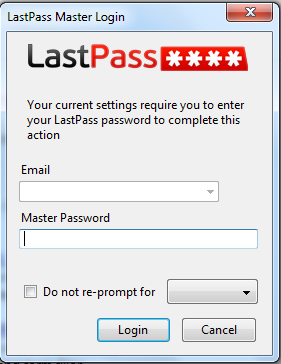
7. LastPass—Trying to keep track of all your online passwords is a daunting task. LastPass is a web application that securely stores your various Internet passwords and can automatically enter them on website logon forms. You can find LastPass at lastpass.com.
8.YouSendIt—YouSendIt is a website that lets you send files that are too big to send as email attachments. The free Lite version lets you send files as large as 100MB. The recipient gets an email notification with a link when the file is available for download. If you need to send larger files, there's a Pro edition that allows files up to 2GB. You can find YouSendIt at www.yousendit.com.
9. Windows Live Messenger—A part of Microsoft's Windows Live suite, Windows Live Messenger lets you perform both text-based chatting through IM as well as one-to-one video chats if your computer has an attached webcam. You can get it at from the Microsoft Download Center. Windows Live Messenger requires a Windows Live account.
10. Hotmail and Gmail—Who doesn't take advantage of one of these super useful services? Both Microsoft's Hotmail and Google's Gmail accomplish essentially the same thing: They provide free web-based email. Hotmail allows up to 10GB attachments; Gmail allows up to 20GB attachments. You can sign up for Hotmail at www.hotmail.com, or you can pick Gmail at www.gmail.com.


Saturday, March 03, 2012

What is DNS :An Introduction

You type a web address – say www.facebook.com – in the web browser, your computer queries a DNS server to find the corresponding IP address where that site is located and once it has that information, it routes your browser to the correct website.

That is a simplified definition of DNS but, behind the scenes, several parties could get involved as soon as your computer asks for the IP address of a domain name. There’s the Resolving Name Server, the Root Name Server, the TLD Name Server and finally the Authoritative Name Server.

Confused? You don’t have to be as here’s an informative short video that explains the entire DNS workflow in simple English.


Even if you know the basics of DNS, do watch this video and you might end up learning a couple of new concepts around DNS and how it works. The video is courtesy learnDNS.com.

Speaking of DNS, do check our previous tutorials on setting up OpenDNS, Google DNS, learn how to compare two DNS services and know about scenarios when you should not change your DNS server and let it point to your ISP’s default DNS server.

Tip: Find the Name Servers of a Web Domain
If you would like to know about the Authoritative Name Server of any web domain, the one that will most definitely know the location of the IP address of that domain, follow these steps.

Open the command prompt windows by typing CMD in the Windows Run box.
On the command prompt, type NSLOOKUP and hit Enter.
Now type set querytype=soa without the quotes and hit Enter. Sentence case matters and there should be no extra spaces.
Finally type any domain name and in the results, the primary name server is the authoritative name server of that domain.

Friday, March 02, 2012

What is HTML5 :An introduction

HTML5 is a language for structuring and presenting content for the World Wide Web, and is a core technology of the Internet originally proposed by Opera Software.It is the fifth revision of the HTML standard (created in 1990 and standardized as HTML4 as of 1997)and as of March 2012 is still under development. Its core aims have been to improve the language with support for the latest multimedia while keeping it easily readable by humans and consistently understood by computers and devices (web browsers, parsers, etc.). HTML5 is intended to subsume not only HTML 4, but XHTML 1 and DOM Level 2 HTML as well.
The remaining doubts can be cleared by this image what new things HTML5 has to offer.

LastPass easy to use Password Manager

Many of you might be registered on many websites and remembering their passwords of the sites be a tedious task.For all internet users here is solution is LASTPASS available for Firefox, Internet Explorer,chrome and Safari.It is a very easy to use password manager as well as form filler for all those lazy outta here who doesn't remember the passwords of their various accounts.

Tuesday, February 21, 2012

Create HTML 5, CS5, CS4, Web 2.0 Style Logo & Icons with Icon Generator Pro

I was searching on internet found out this internet site and i wanted to create logo anew project i was working on.Getting decent logo design is not only difficult task but also expensive affair, added to this is most services offers limited numbers of revisions or design concept. But if you are looking some cheap logo or icon design similar to HTML 5 and Photoshop CS5 icon then here must have utility, Icon Generator Pro & Lite.

As the name suggests, Icon Generator Pro lets you to quickly generate logo and icons of different size based on HTML5, CS5, CS4 or star badge. Each icon or logo has its own different options like adjusting background color, changing text, adding custom image, adjusting contrast or glare etc.

Once you have customized icon design you can save the icon in different sizes such as 128x128px, 48x48px 32x32px or 16x16px of favicon size. If you don’t want to download this tool then you can also generate icons online by accessing developer website http://icon-generator.net.